Showing posts with label Phones. Show all posts

Wednesday, February 27, 2013

How do you learn about the Samsung Galaxy S IV release?

How Do You Android is deeply troubled that two articles in a row cover new phone releases. If this troubles you deeply, you may ask, why not choose a different topic?  Because I have big news... excruciatingly big news: A phone manufacturer has announced a new phone.
...Anticlimactically put, no?

March 14, 2013 is poised to go down in history as the day the Apple empire came crashing down, thanks to the unveiling taking place that day, in iconic New York City.
...Now we're looking at melodramatic, as well as highly unlikely.

Yes, the next next big thing is coming -- the Samsung Galaxy S IV. We know nothing at all about it, currently. Rumors aren't even giving us much to go on... probably some advances in mobile payments through NFC (Near Field Communication -- meaning you need only walk by Starbucks in order to spend $6 on coffee), a 360-degree camera (360? how on earth...), and the possibility of a central new syncing program attempting to rival iTunes. 

Do you find it amusing that Samsung officially announced its official announcement? The event is taking place in NYC this time (while the S3 was released in London), on March 14 -- at that point we hope to hear some specs. 

While I expect, in order to form a valid opinion of it, to get a hold of an S4 at some point, I plan to stick with the Nexus 4, for actual use, a while longer. The true reason is shamefully far from techy: the glass back of the Nexus 4 allows me to put a skin under the bumper case, and I really like this skin.

Thursday, January 31, 2013

How do you overcome a Samsung Galaxy S III obsession?

I've done it: I'm over the S3. This gem has been the standard to which I hold all other phones since spring of 2012; but now, close to a year later, I have a new standard... and I've arrived at a place where I can acknowledge the features of the S3 that I'm not that excited about. (There aren't many.)

Flaw #1:
The Samsung Galaxy S III receives upgrades to Android too slowly. This is the most-purchased phone out there (Apple doesn't release too many numbers, but near as I can figure the 2nd place phone (the iPhone 5) sold 5,000,000 units its first week, while the S3 sold 9,000,000 that first week. And don't forget Android sales are divided up among many phone choices, while Apple fans have only one current option.), so you would think getting the second phase of Jelly Bean, version 4.2, wouldn't be taking this long. I'm bored with old Jelly Bean -- it's so three weeks ago.

Flaw #2:
It is irritating that the Samsung Galaxy S III takes a Micro SIM. This, however, is a very minor fault. First, because it would seem devices are heading in the direction of Micro SIMs, based on the fact that my new favorite (to be revealed below, after a bit more nail-biting suspense) also takes a Micro SIM; second, because it is easy to convert a Standard SIM to a Micro SIM, as well as to use an adapter to switch it back.

Flaw #3:
This is my most serious complaint with the Samsung Galaxy S III: the physical home button. I dislike this immensely. We switched to touch for a reason. It seems minor, and until I had actually used an S3 I just though Huh... interesting (though even at that early hour I was harassed by my second reason to dislike the physical home button). After using it, I realized it really makes a difference -- you have to hold a phone differently, brace it differently, if pressure (not just touch) is required to get a response. My second complaint with the physical home button is that it is a feature of iPhones -- Android doesn't need it; Android doesn't want it. Android has given Apple incentive to point and laugh: Ha! They're trying to make their phones just like ours! Not good.


I still think fondly of the S3 (it is a gorgeous phone: sharp and slim), but it is no longer my favorite. The Google Nexus 4 now holds that position. The specs are top of the line; the design is sleek; as Google's phone it receives updates lightning-fast; and (my favorite feature of all) the Android operating system is not seen through the film of Samsung, HTC, or Motorola -- it's pure Android.

Friday, January 4, 2013

How do you provide evidence that Android is superior, from people who matter?

You know Robert Kawasaki... Rich Dad, Poor Dad? I'm not talking about him. I looked it up, and they're not related.
This is Guy Kawasaki. And he's his ooooooown thing.


Guy Kawasaki was an "Apple fellow"... officially. In 1995, after the original Mac craze had fizzled out, Kawasaki was on staff at Apple with the modus operandi to, as he put is, "reignite the Mac cult." While he probably saved Apple from failing that decade, and while he continues to use and love Mac's, he has interesting things to say about the iPhones he no longer carries.

When the iPhone 4S was the newest Apple iOS release, Kawasaki switched over to an Android mobile phone, because he wanted to take advantage of 4G LTE network, which advance had not yet reached Apple. While this deficiency has been removed in the iPhone 5, Kawasaki adamantly sticks with Android. A few of his favorite features include superior multitasking, alphabetically arranged apps, NFC support, and a standard cable.

Kawasaki explains the transformation, saying, "I fell in love with Android on the smartphone, and then I got a Nexus 7 and started using Android on the tablet as well. To me the great irony is that Apple's slogan was 'Think Different,' but today if you think different you're looking at Android." He has now arrived at a place where he says, "Real men use Android."

By the way, Steve Wozniak -- co-founder of Apple -- while preferring iPhone personally, has been recorded as recommending Androids to certain people. Interesting.

Tuesday, November 27, 2012

How do you know Android? (Amazon and Android)


I'm excited; this is from an interview with Jeff Bezos, Amazon.com founder and CEO, by Charlie Rose:

Bezos: "I will have to decline to answer that question."
Rose: "Because it might incriminate you?"
Bezos: "I'll just have to ask you to stay tuned. There are a bunch of rumors. I agree that there are a bunch of rumors that we might do a phone."
Rose: "Of course, that answer leads us to believe that you are going to do it. You're just waiting for the right opportunity."
Bezos: "Well, you'll just have to wait and see."

(I recommend reinserting the laughter that played a roll in this bit of the interview. Read it again, with the laughter, to take away the Woah... obnoxious! feeling. Better?)

Amazon's pattern of excellence is why I'm keeping posted on this all-but-confirmed Amazon phone saga, despite my love for the Samsung Galaxy S3. Like the Kindle Fire tablet, this currently unannounced Amazon phone would run on the Android operating system, with Amazon's little Kindle twist. I actually like it when manufacturers do a little tweaking of the Android OS, like HTC does with its HTC Sense; it gives us some nice choices. Though rumors are flying, there are very few nailed-down facts right now, giving details about this mysterious phone.

So when will it be released, and what are its specs going to be? Yes, exactly. *sigh* 
Keep an eye out for that news, and rest assured that whatever Amazon's secret is, it will be worth investigating once it's here.

Wednesday, November 21, 2012

How do you lower an Android phone bill?

Did you know that it's no longer uncool to have a contract-less (prepaid or pay-as-you-go) phone? I am very opposed to contracts, like Verizon or Sprint offer. I have researched phone carriers extensively, and arrived at the conclusion that Straight Talk is the best option.
I used Virgin Mobile happily for a while, and they are the best if you're happy with limited minutes. Virgin Mobile's plans are restarted each month, and they offer unlimited text, unlimited data, and 300 minutes for $35, which is phenomenal; however, 300 minutes isn't going to be enough for most people. Their next plan is $45/month, which gets you up to 1,200 minutes; at this point you're paying $45, so you might as well be using Straight Talk, which is $45/month for unlimited talk, text, and data.
One very cool thing about Straight Talk is that using this provider gives you the option to have practically any phone you want, because of their "Bring Your Own Phone" program. Any GSM (meaning uses a SIM card) phone that is unlocked, T-Mobile, or AT&T (or a Straight Talk phone, of course) will work with Straight Talk. Regarding how good coverage will be for these phones: Straight Talk or unlocked phones use Verizon's prepaid towers, while AT&T or T-Mobile phones through Straight Talk use the AT&T or T-Mobile towers. That means your coverage is premium... the same coverage as if you were using the providers directly. Like Virgin Mobile, Straight Talk is prepaid, so every month (unless you pay for multiple months at once) you restart your plan.

So Straight Talk offers $45/month for unlimited everything, and the widest phone selection you'll find anywhere -- do you know of a better carrier?

Monday, November 19, 2012

How do you buy an Android cheap, on eBay?

I've been buying and selling on eBay for years, and have really fine-tuned my process, particularly in the electronics department. I have a very specific system that has been proven repeatedly (a friend recently bought a Wii console for a steal, using my system), which is going to help you buy an expensive Android smartphone significantly below market value.
In order to follow this system, all you need is an eBay account and a PayPal account. If you don't have those, then set them up. If you don't know how to set them up, well I don't know what you expect of me -- this site is about Androids, not the world wide web. No, I think you know me better than that, by now. If you need any help in the account creation process, just let me know in a comment and I'll give you a hand.

Ok, now you've got your accounts, go to the eBay website. Let's assume you're looking for the Samsung Galaxy S III (yes, I should choose a different example phone once in a while... but I just love this beast). In eBay's search box, type, "Samsung Galaxy S (3,three,iii)" WITH the quotation marks (quotation marks means all these words exactly in this order; the parentheses means any of these words). Now, on the left side, click to only show the category "Cell phones and accessories" and then "Cell phones and smartphones," then scroll down a bit, and choose the carrier you need, again on the left (if you are choosing between a few, you can click the "choose more" option). Just under the search box, there are tabs for what kind of auction you have showing; click the one for "Buy it now only." Almost finished now... next, from the drop down menu on the top right, choose to sort by "Time listed: newly listed." The last specification you need to add is condition. Click "Choose more," under condition, on the left side. Select all options except for "For parts or repair."
At this point, your search is all set up. Click to save the search (so that if you don't find any options the first time you try this, you won't have to set it all up when you try again tomorrow), right around the search box, but un-check the box to receive emails... you'll get too many. You need to know what price you're looking for (my helpfulness knows no bounds... tell me what phone you're looking for, and I can recommend a good maximum price to aim for, on eBay), and now you're ready to shop. You can also set a maximum price to show (same place on the left side), if you'd like to rule out more. All you're doing is leaving this search open, and refreshing the page as often as you feel like, to show the new results. What you're looking for is someone who listed the phone without realizing or without caring what its actual value is. The reason it has to be buy it now only is because if you leave the regular auction style listing in the mix, it doesn't matter what price it's listed at -- the bidders know how high they're willing to go, which will be approximately market value. You need the ones that are listed with the option to purchase immediately, so you can snap it up before anyone else realizes that gem is listed inexpensively.
Now let's say you found a phone that looks like a good possibility. How do you check quickly that everything is in order, so you can make a quick decision, not a hasty decision? First thing you look for is the item's condition... make sure it functions 100% as it should, and make sure there are no cracks, etc. I typically don't mind a bit of scratching, but I do avoid cracks. If the listing doesn't give the cosmetic and functional condition, send an email. Since the listing just started, hopefully the seller is still online and can answer quickly. Next, make sure the shipping charge is factored into the total you're considering. Lastly, look at the seller's feedback score. It should definitely be 95% or above, unless there are just a handful of feedbacks, in which case you need to look at the actual feedback, to make sure there wasn't just one loon who gave a negative without a real reason.
If you get the phone and something is wrong, check it against the listing. If the mistake was yours... well, oops (I recommend avoiding mistakes); if there is something that does not match the listing, then contact the seller in a very polite manner (avoid accusations... the seller will usually treat you with respect, if you set that tone). If the seller will not cooperate, open an eBay Buyer Protection case, which will get you 100% of your money back, and eBay will provide you with a return label, so you don't even pay return shipping.
Follow these instructions carefully, and ask if you have any questions. This is an excellent system, which has saved me $100's. It is not, however, as safe as buying from, say, Verizon (which carrier I do not support... prepaid is the only option I ever consider). I have never had any experiences that could not be resolved, following this method, but I am not taking responsibility for your experiences.

Friday, November 16, 2012

How do you protect an Android phone against drops?

Statistics show that the number of times a cell phone is dropped and the likelihood that the jolt will be hard enough to cause malfunctions, including shattered screen, increase proportionately to the number of dollars spent on the phone. In other words, try to break a cheapy flip phone -- I dare you. On the other hand, baby your Android and still, without proper protection, you will soon splatter it across the sidewalk. In order to be perfectly clear, allow me to show you the equations expressing this direct proportion:

$$$ (Think Samsung Galaxy S3)   ↑    Damage
&
$$$ (Think Nameless Flip Phone)   ↓    Damage

Though it's worth it to keep our valuable phones safe, I am opposed to bulky cases. Really heavy-duty, get-the-job-done, popular cases like These Guys. They're great... a lot of people love them. I appreciate that the color choices are expanding. But I love slim, sleek Androids. My case needs to protect the phone, but without making it unrecognizable and obnoxious. I was thrilled to discover The Perfect Case, a few months ago. The brand is Capdase. These cases are made of an inner silicone soft layer, and an outer metal/plastic mix hard layer. Soft inside absorbs impact, hard outside holds shape against impact (and makes it easier to slip into pocket than just silicone).
When I first discovered these cases, I could find no options other than black or white. Now Black, White, Red, Light Blue, and (most importantly) Purple have become available. Capdase doesn't make these cases for every phone, but many of the more popular ones these days. If you can't find it for your phone, tell me what model your phone is, and I'll let you know if there is a generic available (I am currently using a generic version [purple outside, black inside -- perfection] as happily as I previously used my HTC One V genuine Capdase case.

Only downside I have encountered with these cases: when they do get dropped, the outer layer of paint can be scraped, revealing a metal-type color underneath. Hopefully Capdase or competitors will resolve the problem, but currently Capdase and generics are the only option I like, so it's a good thing this downside is a very small issue.

Friday, November 2, 2012

How do you know Android? (Android Dessert Logos)

This is the first post in a special series, that will be updated occasionally, entitled How Do You Know Android?, which gives interesting Android-related information, rather than how-to instructions. Enjoy!


On November 5, 2007, Android beta was released. Rumors say beta versions were nicknamed Astro Boy and Bender. The first version of Android to be officially released on a phone was Android 1.0, released September 23, 2008 on the T-Mobile G1 (internationally known as the HTC Dream). This first version of Android went without a name, but was quickly followed, on February 9, 2009, by version 1.1, which was internally called Petit Four. 


It was with version 1.5 that the well-known alphabetical dessert series started. Release dates, names, and logos officially released or announced as of November 9, 2012 are laid out in this post.

On April 30, 2009, Android version 1.5 was released with the nickname "Cupcake" and this logo:


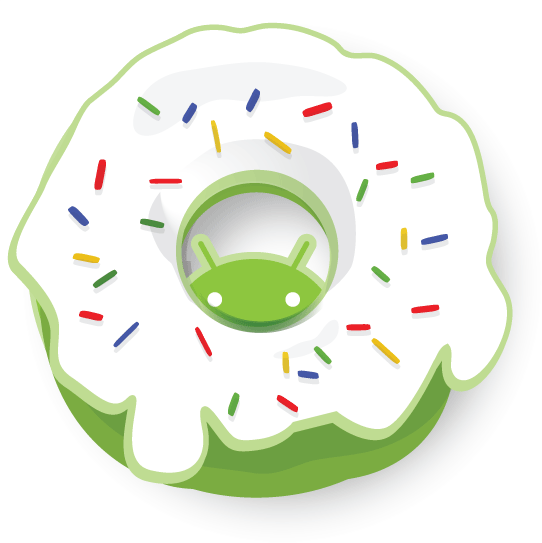
On September 15, 2009, Android brought us version 1.6, Donut, with this logo:

On October 26, 2009, version 2.0 was released under the name Eclair, which also encompassed version 2.1, and came with this logo:


Froyo was the nickname given to Android version 2.2.x, released on May 20, 2010, with this logo:


Android version 2.3.x, called Gingerbread, quickly followed on December 6, 2010, and we were introduced to this logo:


Honeycomb, released February 22, 2011, is Android version 3.x, but this operating system was for tabs only, so, since we primarily stick with cell phones, Honeycomb won't be discussed much. It does have a pretty fun logo, though:
On October 19, 2011, Android version 4.0.x, was released with this Ice Cream Sandwich logo:


Android versions 4.1 (released July 9, 2012) and 4.2 were called Jelly Bean with this logo:


Android version 4.2 was expected to be called Key Lime Pie, rather than a new Jelly Bean. It is still heavily rumored that the next in the dessert series will be Key Lime Pie, but there is no release date set, nor logo released. 
What do you think will come after Key Lime Pie? I've been vacillating between Licorice and Lollipop, but I think I'm going to guess Lollipop. Leave a comment with your Android version "L" dessert nickname guess.

The Android robot is reproduced or modified from work created and shared by Google and used according to terms described in the Creative Commons 3.0 Attribution License.

Thursday, November 1, 2012

How do you find your Android version?

It's very easy to find out what version of Android your phone is running, but one of those things that you don't usually know until you need to know. It differs a bit between phone manufacturers (Samsung, HTC, Motorola...), but the method is consistent enough between phones that this guide should help you find the info for any Android phone.

Tap Settings, then look for Phone or About Phone. There you will see your phone's software information, including a heading called Android Version. It will be formatted like this (for example): Android 2.3.7 or Android 3.2. For more information about what those numbers mean and how to match them to an Android version name, please see an upcoming post about the history of the Android operating system.

If this information does not help you find your version of Android, please let me know, in a comment, your phone's information (Manufacturer [such as Samsung], at least, and phone name [such as Samsung Galaxy S3], if possible), and I will answer with instructions specific to your device.

Tuesday, October 30, 2012

How do you choose an Android phone? (Buying Guide Conclusion)

We've covered storage, camera, and size -- there is no shortage of other issues that could be discussed, but those three are, in my opinion, the core issues to understand when making your Android purchase decision. Now based on your decisions in those last three posts, let's find you a phone.

If you want small (let's call it "adequate") storage size, camera quality, and physical size, you're looking at the lowest price range. My specific recommendation is the HTC Wildfire S, which can be purchased as a Virgin Mobile phone or as a GSM unlocked phone (meaning use with a carrier that requires SIM cards). It has 512 mb of internal storage, a 5 mp camera with flash,  and a 3.2" display. The camera is more mid than low-level, but overall this beautiful little phone is functional and economical.

If you want medium storage size, camera quality, and physical size (with an accompanying average price) I like the HTC Rhyme. The phone comes in a unique purple, but never consider a phone's color, because you should always invest in a protective case for your Android. This phone, which is available for Verizon or (if you search hard) GSM unlocked, has 4 gb of internal storage, a 5 mp camera, and a 3.7" display.

If you want large storage size, camera quality, and physical size, you've selected my favorite phone on the market right now: the Samsung Galaxy S3. This phone is available for all the major carriers, and features 16 gb of internal storage, an 8 mp camera, and a 4.8" display. This phone is the latest and greatest, which we all understand to mean expensive. For the price-conscious among us, this is a great phone to find on eBay. Is there a risk to buying third party? There is, but my soon-to-be-unveiled guide to buying Android phones on eBay comes close to eliminating the risk, and the savings can be immense.

Those three are my recommendations for the three basic divisions of preference, but for those of you looking for more options with focus on any particular spec, please feel free to ask questions in the comments. I would be happy to answer with a recommendation tailored to your exact needs.